As you probably know, I’m a huge fan of Laravel. Laravel is a batteries-included PHP framework, which means it comes with a lot of built-in functionality to make web application development easier and faster. The Laravel team is keep shipping great features, increasing the DX of the framework. With the rise of AI, the Laravel team has recently introduced Laravel Boost, which is a MCP server giving Laravel specifc context to AI agents with more features. Carbon is one of those built-in features that makes working with date and time in Laravel a breeze.
Carbon is not just for Laravel. It’s a standalone PHP library that extends the native PHP DateTime class, providing a more intuitive and user-friendly API for date and time manipulation. In this post, we’ll explore some of the poweful features of Carbon and how to use them in your PHP Laravel applications.
Creating Carbon Instances #
Let’s get right into it. To use Carbon in your Laravel application, you first need to import the Carbon class and create an instance. I’m gonna show these examples inside web.php routes file for simplicity, but you can use them anywhere in your Laravel application.
use Carbon\Carbon;

Route::get('/carbon', function () {

    $now = Carbon::now();
    dd($now);

});
if we die and dump the $carbon instance, we’ll see the current date and time. Every carbon instance represents a specific point in time.
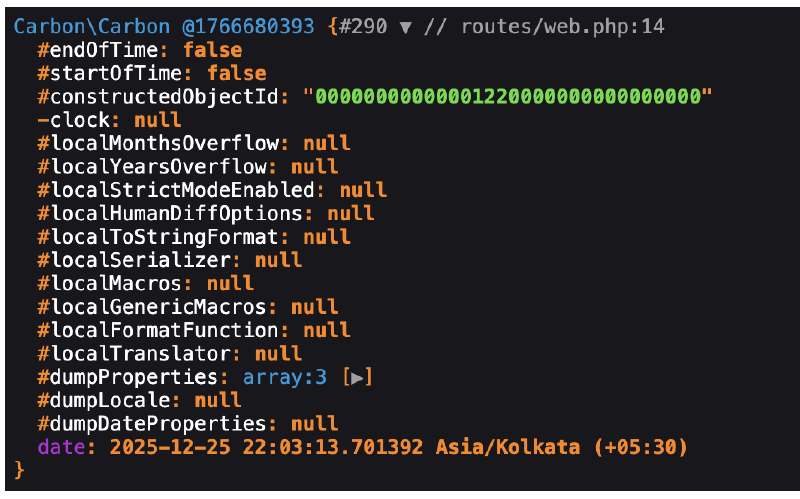
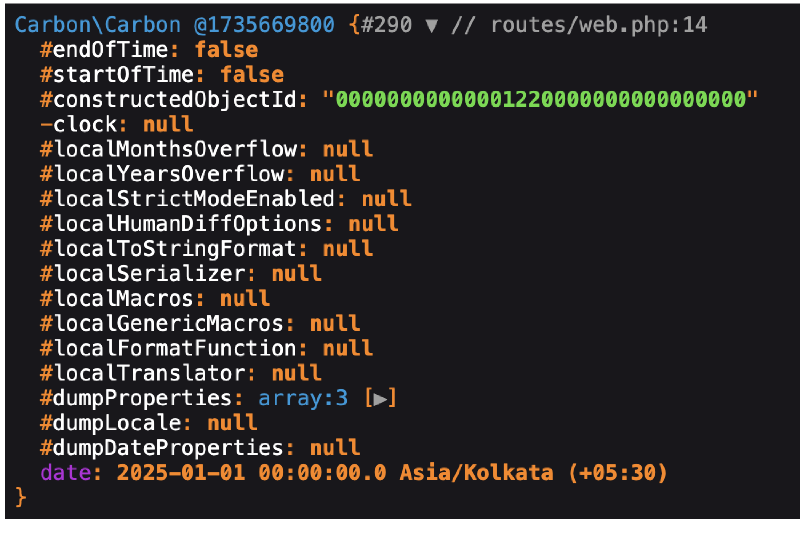
We can pass a string like “first day of january” to create a Carbon instance for a specific date:
Route::get('/carbon', function () {

    $firstDayOfJanuary = Carbon::parse('first day of january');
    dd($firstDayOfJanuary);

});
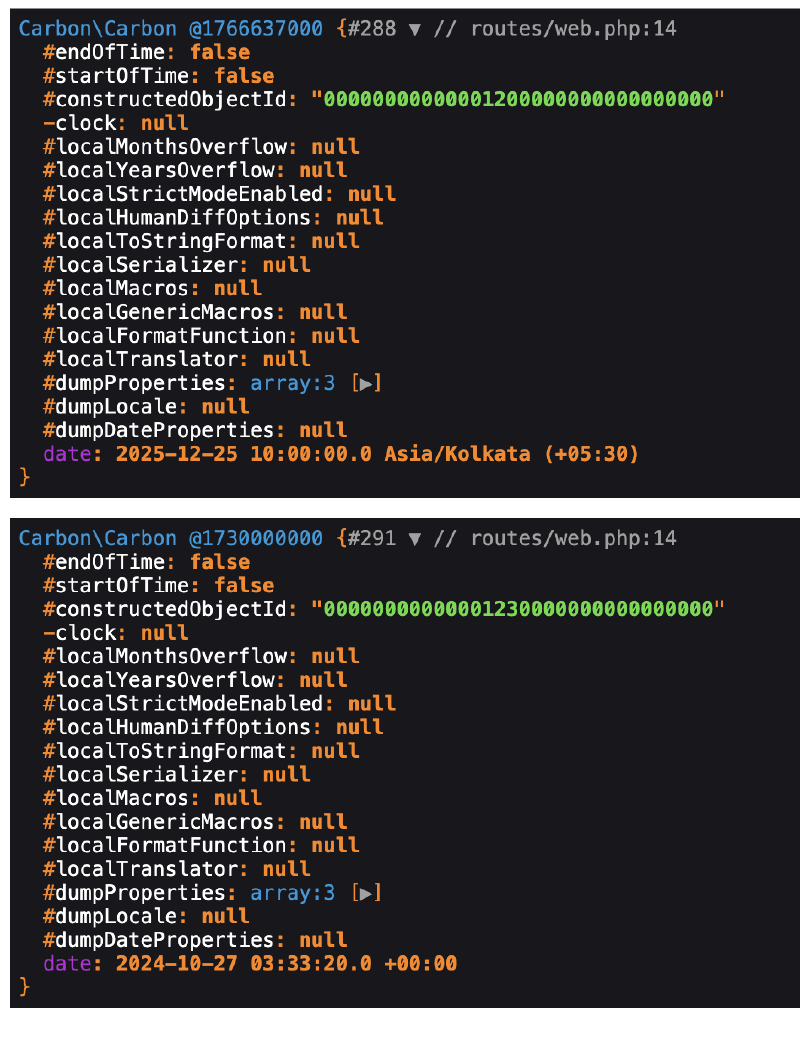
We can create a Carbon instance from different formats like “Y-m-d H:i:s” or timestamps:
Route::get('/carbon', function () {
    $fromFormat = Carbon::createFromFormat('Y-m-d H:i:s', '2025-12-25 10:00:00');
    $fromTimestamp = Carbon::createFromTimestamp(1730000000);
    dd($fromFormat, $fromTimestamp);
});
Add Years #
One of the most common operations when working with dates is adding or subtracting time. Carbon makes this incredibly easy with its intuitive methods. For example, to add years to a date:
Route::get('/carbon', function () {

    $now = Carbon::now();
    $oneYearLater = $now->addYear();
    dd($now, $oneYearLater);

});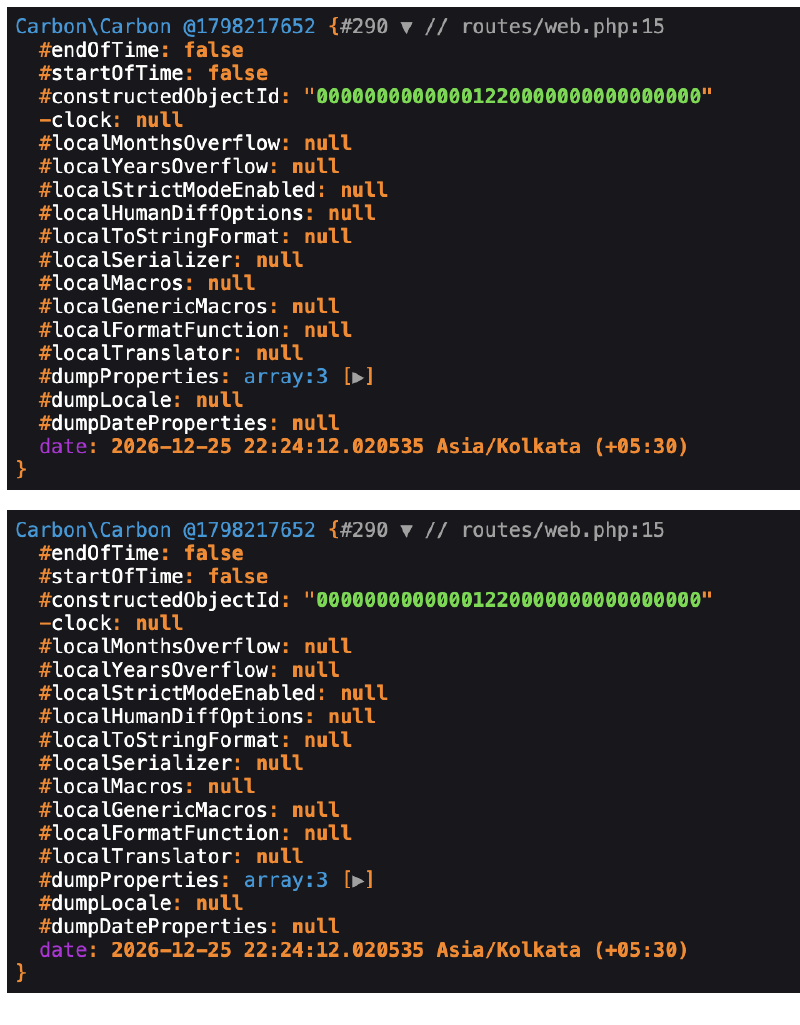
If you look at the output, you’ll see that the original $now instance has been modified as well with the new date. Carbon methods modify the instance in place. If you want to keep the original instance unchanged, you can use the copy() method:
Route::get('/carbon', function () {
    $now = Carbon::now();
    $oneYearLater = $now->copy()->addYear();
    dd($now, $oneYearLater);
});
Now the original $now instance remains unchanged. This is a common mistake when using Carbon, so be sure to use copy() if you want to preserve the original date.
Getters #
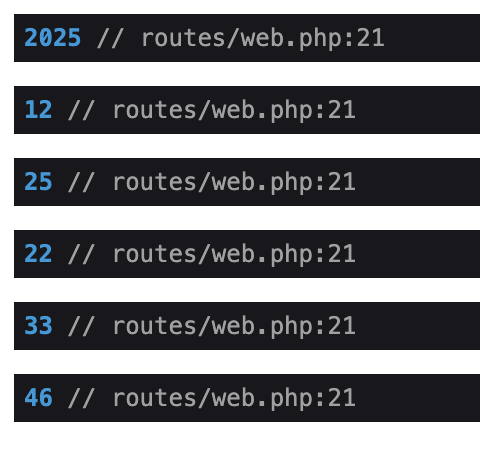
Carbon provides a variety of getter methods to retrieve specific components of a date, such as the year, month, day, hour, minute, and second. Here’s how you can use them:
Route::get('/carbon', function () {

    $now = Carbon::now();
    $year = $now->year;
    $month = $now->month;
    $day = $now->day;
    $hour = $now->hour;
    $minute = $now->minute;
    $second = $now->second;

    dd($year, $month, $day, $hour, $minute, $second);

});
There is a huge list of getters available in Carbon. You can find the full list in the Carbon documentation.
Setters #
You can modify specific components of a Carbon instance using setter methods. Here’s an example of how to set the year, month, and day:
Route::get('/carbon', function () {
    $now = Carbon::now();
    $now->year = 2023;
    $now->month = 1;
    $now->day = 1;

    dd($now);
});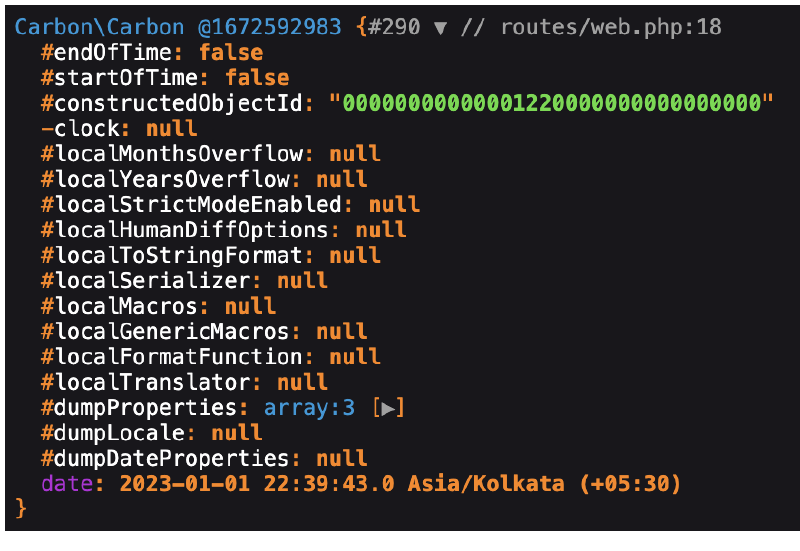
If you run the above code, you’ll see that the date has been updated to January 1, 2023.
Formatting Dates #
Carbon provides a powerful format() method that allows you to format dates in various ways. The format() method uses the same formatting options as PHP’s native date() function.
Route::get('/carbon', function () {

    $now = Carbon::now();
    $formattedDate = $now->format('Y-m-d H:i:s');
    dd($formattedDate);

});
Comparing Dates #
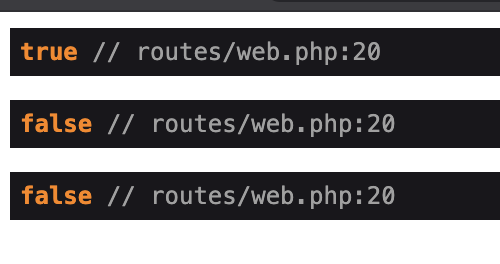
Carbon makes it easy to compare dates using methods like isBefore(), isAfter(), isSameDay(), eq(), gt(), and lt(). Here’s an example of how to compare two dates:
Route::get('/carbon', function () {

    $date1 = Carbon::parse('2025-12-25');
    $date2 = Carbon::parse('2026-01-01');

    $isBefore = $date1->isBefore($date2);
    $isAfter = $date1->isAfter($date2);
    $isSameDay = $date1->isSameDay($date2);

    dd($isBefore, $isAfter, $isSameDay);

});
Adding and Subtracting Time #
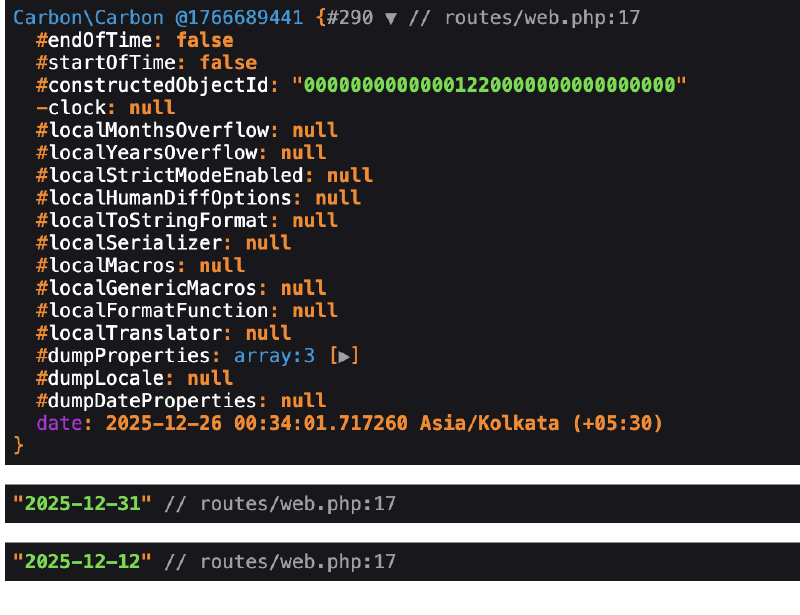
Carbon provides a variety of methods to add or subtract time intervals, such as days, weeks, months, and years.
Route::get('/carbon', function () {

    $now = Carbon::now();
    $fiveDaysLater = $now->copy()->addDays(5)->format('Y-m-d');
    $twoWeeksEarlier = $now->copy()->subWeeks(2)->format('Y-m-d');

    dd($now, $fiveDaysLater, $twoWeeksEarlier);
});
There are much more functions available for adding and subtracting time. You can find the full list in the Carbon documentation.
Difference Between Dates #
Carbon provides methods to calculate the difference between two dates in various units, such as days, weeks, months, and years. Even with different timezones.
Route::get('/carbon', function () {

    $dtOttawa = Carbon::createFromDate(2025, 1, 1, 'America/Toronto');
    $dtVancouver = Carbon::createFromDate(2025, 1, 1, 'America/Vancouver');

    $marginTime = $dtVancouver->diffInHours($dtOttawa);

    dd($marginTime);

});
This will return 3, because Vancouver is 3 hours behind Ottawa. If we pass false as the second parameter to diffInHours(), it will return a negative value for the time difference, so we can see the direction of the difference.
Diff For Humans #
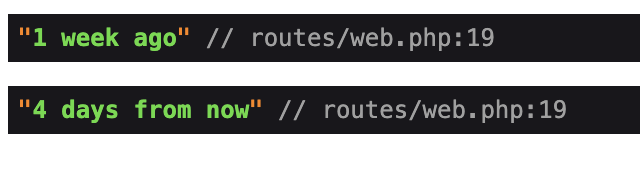
This is one of my favorite features of Carbon. The diffForHumans() method provides a human-readable representation of the difference between two dates. This is so convenient.
Route::get('/carbon', function () {

    $pastDate = Carbon::now()->subDays(10);
    $futureDate = Carbon::now()->addDays(5);

    $diffPast = $pastDate->diffForHumans();
    $diffFuture = $futureDate->diffForHumans();

    dd($diffPast, $diffFuture);

});
Modifiers #
Carbon provides many modifier methods to manipulate dates easily. For example, you can use startOfDay(), endOfMonth(), next(), and previous() to adjust dates.
Route::get('/carbon', function () {

    $now = Carbon::now();
    $startOfDay = $now->copy()->startOfDay()->format('Y-m-d');
    $endOfMonth = $now->copy()->endOfMonth()->format('Y-m-d');
    $nextMonday = $now->copy()->next(CarbonInterface::MONDAY)->format('Y-m-d');
    $previousFriday = $now->copy()->previous(CarbonInterface::FRIDAY)->format('Y-m-d');

    dd($startOfDay, $endOfMonth, $nextMonday, $previousFriday);

});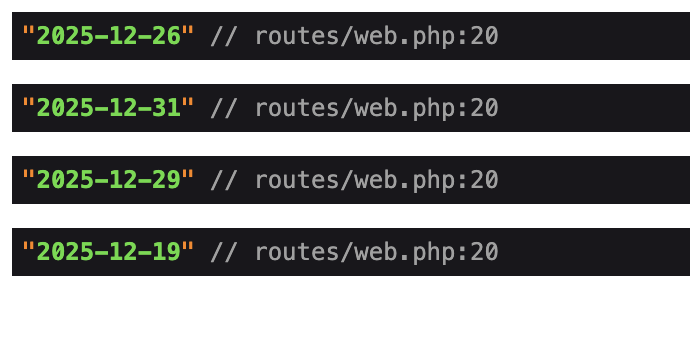
As you see you can use some constant values from CarbonInterface to specify days of the week. You can find the full list of modifier methods in the Carbon documentation.
Carbon in Laravel #
In Laravel, almose all database migrations include created_at and updated_at timestamp columns by default. When you retrieve Eloquent models from the database, Laravel automatically converts these timestamp columns into Carbon instances. This allows you to use all the powerful features of Carbon directly on your model attributes.
In any Eloquent model, we can cast date attributes to Carbon instances using the casts() method.
protected function casts(): array
{
    return [
        'published_at' => 'datetime',
    ];
}
With this cast in place, you can now use Carbon methods on the published_at attribute of your model.
$post = Post::find(1);
$publishedDate = $post->published_at;
$formattedDate = $publishedDate->format('Y-m-d H:i:s');
$daysSincePublished = $publishedDate->diffInDays(Carbon::now());